Replace ImageMagick policy Or fix Error: “convert-im6.q16:
This article is for everyone who wants to change their policy of ImageMagick on Linux. First lets check the current policy run the…
Replace ImageMagick policy Or fix Error: “convert-im6.q16: width or height exceeds limit” Or “attempt to perform an operation not allowed by the security policy”. Also possible for Docker
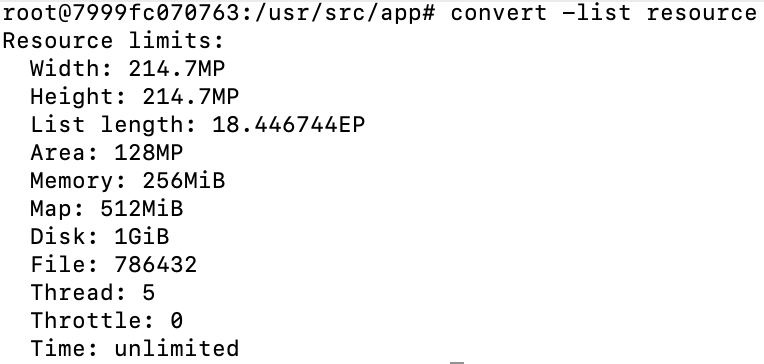
This article is for everyone who wants to change their policy of ImageMagick on Linux. First lets check the current policy run the following comment:
root$: convert -list resource
For the dockerfile to print the current policy the command would be:
RUN convert -list resource
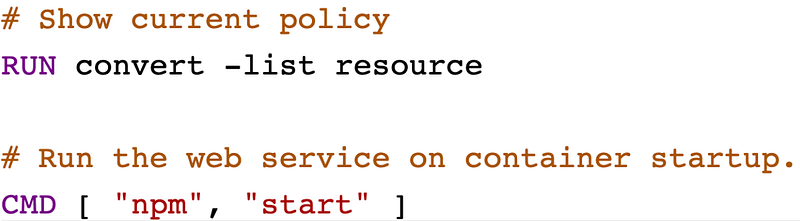
On the output we can mostly see, that the resources for the different areas e.g. Width or Height are too little. Also this article is for people who are looking to solve the following problems:
Problem:
convert-im6.q16: cache resources exhausted
convert-im6.q16: width or height exceeds limit
convert-im6.q16: attempt to perform an operation not allowed by the security policy
Solution:
You have to edit your policy.xml in the installation folder of ImageMagick. Normally it should be here: /etc/ImageMagick-6/policy.xml
For a quick fix you can do:
root$: nano /etc/ImageMagick-6/policy.xml
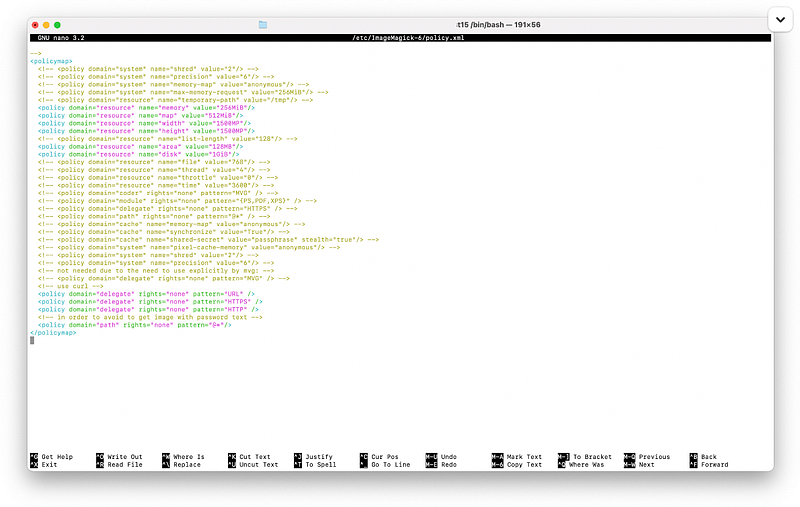
Here for example the policy for disk is to small and it produces the error “cache resources exhausted” to fix it just replace the policy for disk with the value 1GiB to 8GiB. We can repeat this procedure for the other values like height or width to fix the other errors.
If you would like to just replace the policy with a already changed values one here is an example file:
https://gist.github.com/FranzTscharf/ee4c7e92f8411769d510e1982db8751c
After you replaced the file with the custom policy all the errors should be solved.
To download and replace the policy on the fly just follow the following procedure:
root$: wget https://tinyurl.com/custom-imagemagick-policy -O ./custom-policy.xml
root$: cp -f ./custom-policy.xml /etc/ImageMagick-6/policy.xml
For a docker file that would be:
RUN wget https://tinyurl.com/custom-imagemagick-policy -O ./custom-policy.xml
RUN cp -f ./custom-policy.xml /etc/ImageMagick-6/policy.xml
After this everything should be working. I hope the article helped. Happy coding!