Dart / Flutter JSON Object to String
Dr. Viktor Walter-Tscharf1 MIN. LESEZEIT

This article is to show you the basic operations to convert JSON objects in dart flutter.
Photo by Ferenc Almasi on Unsplash
JSON Object to String
import 'dart:convert';
After the import, you can add the following code or wrap it around a function.
const data = {'text': 'foo', 'value': 2, 'status': false};
final String jsonString = jsonEncode(data);
print(jsonString);
// Output
// {"text":"foo","value":2,"status":false,"extra":null}
String to JSON Object
To convert a String into a object in dart use the following code:
const String responseAPIData = '[{"id":1,"name":"Service1"},{"id":2,"name":"Service2"}]';
final dataResp = json.decode(responseAPIData);
// Print the name of the second product in the list     print(dataResp[1]['name']);
// Output -> Service2
JSON Object to Dart Class
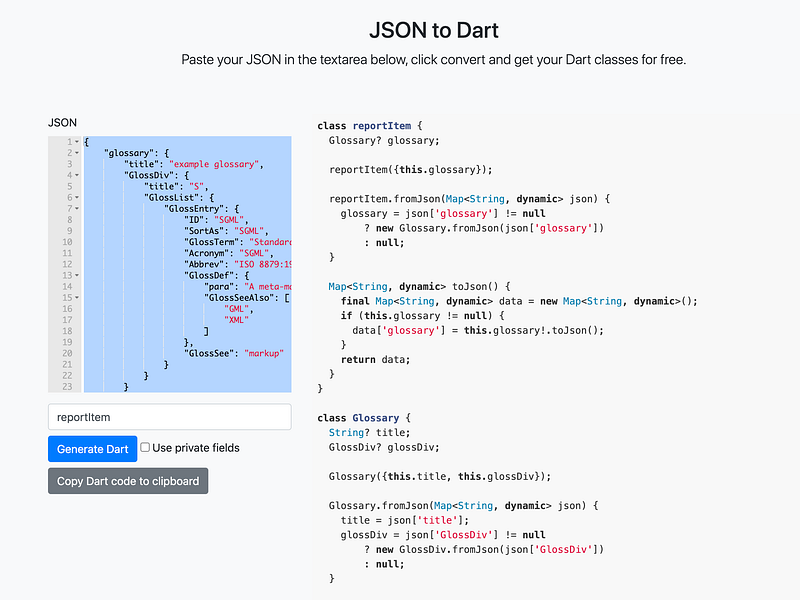
if you need to convert your JSON object to a dart class to modify each attribute sepatly then the following website should be good to use:
https://javiercbk.github.io/json_to_dart/
I hope this little example helped. Happy coding.